ASTERISK AUDIO & TRANSCRIPTION
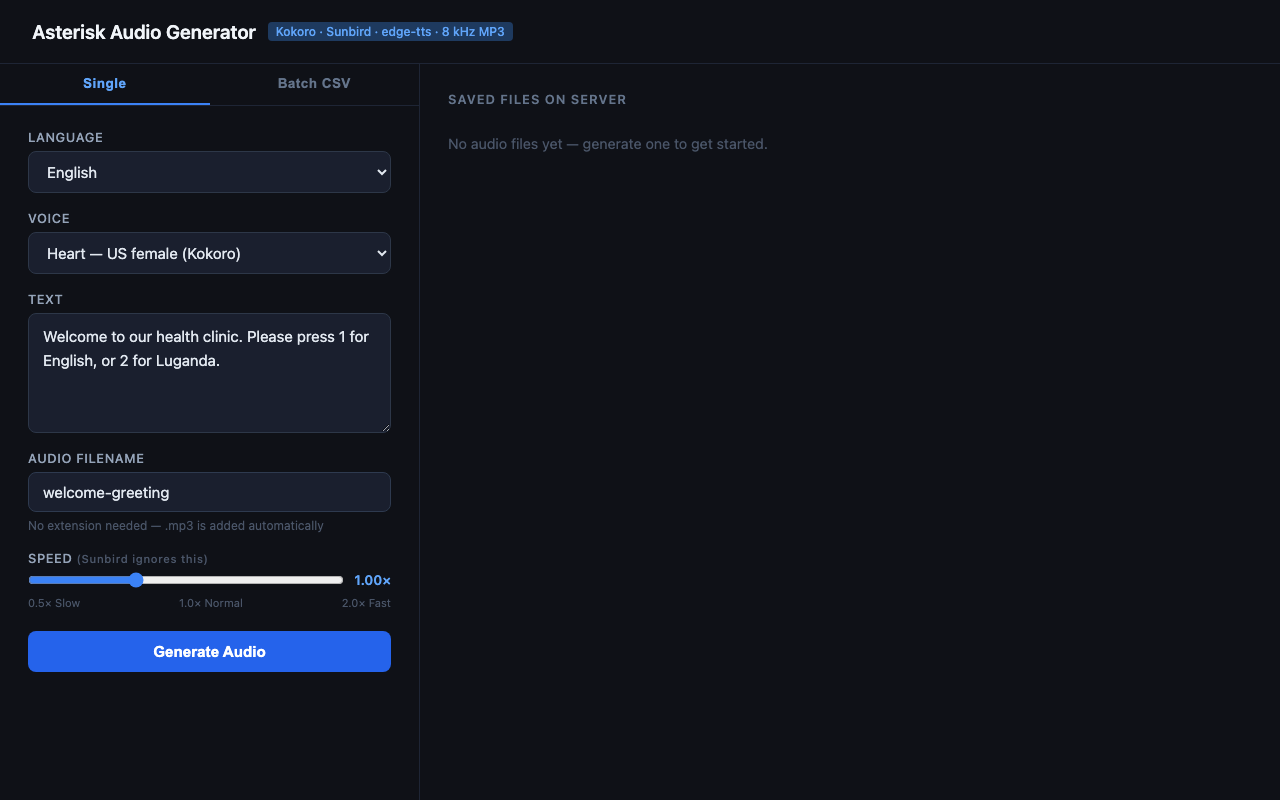
Single file generation - IVR prompt ready to convert
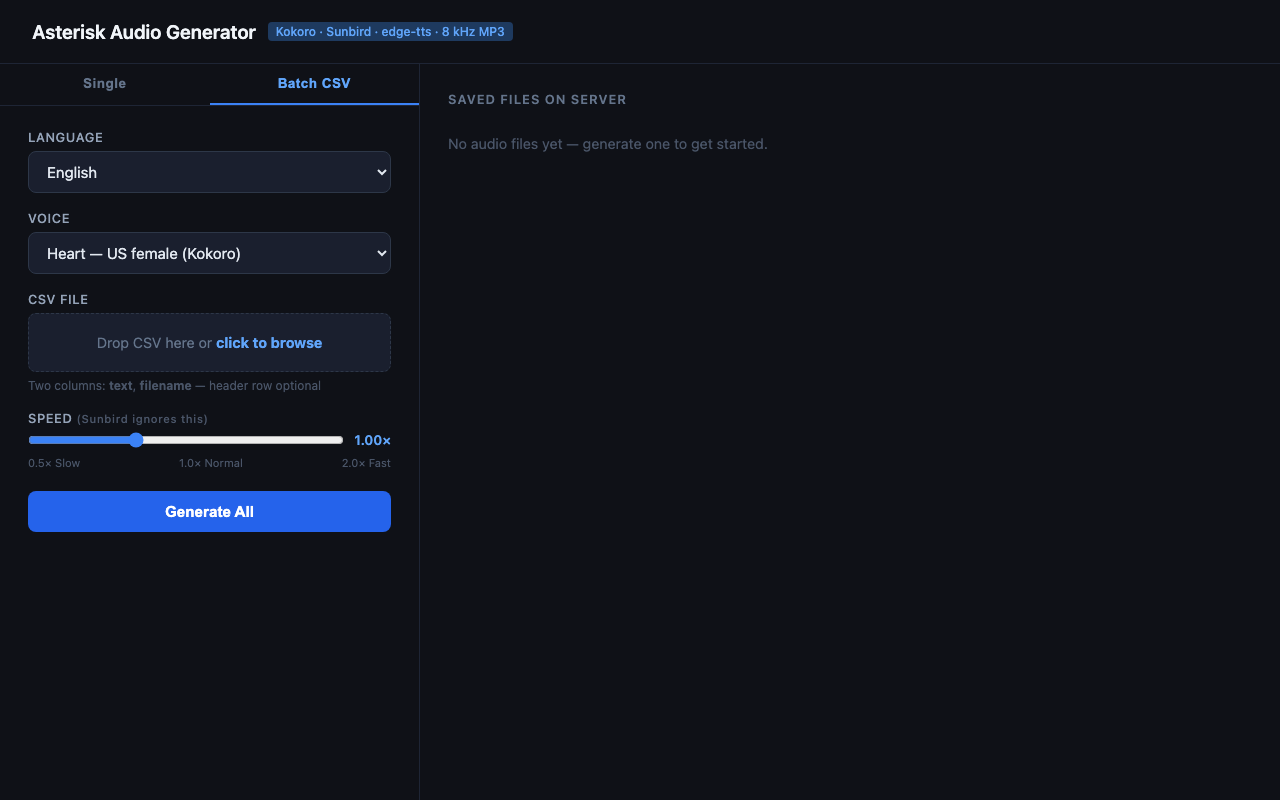
Batch CSV tab - generate hundreds of MP3s from a spreadsheet
Project Summary
Asterisk Audio & Transcription is a web-based tool for both text-to-speech - producing Asterisk-compatible 8 kHz mono MP3 audio from text - and speech-to-text - transcribing audio files back into text. Every backend, for either direction, is selectable per request, enabling English, Luganda, Swahili, and a wide range of African languages from a single interface, with single-file, batch, and transcription workflows.
Objective
Producing Asterisk-ready audio traditionally requires manual recording studios or complex audio processing pipelines, and reviewing recorded calls requires manual listening. This tool removes both bottlenecks by combining modern neural TTS and STT engines with automatic audio resampling, delivering production-ready MP3 files and accurate transcripts in seconds. It is built to serve telecom engineers, IVR developers, and anyone building or auditing voice-driven applications on Asterisk.
Text-to-Speech - Supported Languages & Voices
Three TTS backends are integrated, each selectable per generation request:
Local neural model - no internet connection or API key required. Includes 12 US and GB voices (male and female).
- Heart, Bella, Sarah, Nicole, Jessica (US female)
- Adam, Michael, Liam (US male)
- Emma, Isabella (GB female)
- George, Lewis (GB male)
Cloud-based TTS powered by Sunbird AI: 48 speakers across English, Luganda, Swahili, Acholi, Afrikaans, Ateso, Ewe, Fulani, Hausa, Igbo, Kikuyu, Kinyarwanda, Lingala, Luo, Runyankole, Xhosa, and Yoruba. Requires a free Sunbird API token.
Microsoft Neural cloud TTS with no API key required. Includes 4 Swahili voices covering both Kenya and Tanzania dialects (male and female).
- Zuri - KE female
- Rafiki - KE male
- Rehema - TZ female
- Daudi - TZ male
Speech-to-Text - Transcription Backends
Three STT backends are integrated, each selectable per transcription request:
Cloud STT covering 51 African languages, including Luganda, Swahili, Acholi, and Runyankole. Reuses the same AUTH_TOKEN as Sunbird TTS.
Local model covering ~90 languages with auto-detect - no API key required. Downloads and caches automatically on first use.
Cloud transcription across ~90 languages with auto-detect. Requires an OPENAI_API_KEY.
Key Features
Single File Generation
Select a language and voice, type the text, set a filename and playback speed (0.5× to 2.0×), then click Generate. The output MP3 appears in the file list instantly and can be downloaded or deleted directly from the UI.
Batch CSV Processing
Upload a CSV file with text and filename columns to generate hundreds
of audio files in one operation. A live progress feed powered by Server-Sent Events shows each
file completing in real time, with per-row error reporting that does not stop the batch. Limits:
500 rows, 2 MB file size, 5,000 characters per text cell.
Transcription
Pick a backend and spoken language (or auto-detect on the Whisper backends), upload an audio file - wav, mp3, m4a, ogg, flac, or webm up to 25 MB - and optionally request per-segment timestamps. The transcript is returned with one-click copy and save-as-.txt actions.
Docker Support
A Dockerfile and docker-compose.yml are included for one-command
deployment, and multi-arch (amd64/arm64) images are published to
GHCR on every release for a build-free deploy.
How Audio Is Produced
Regardless of the TTS backend, all generated audio passes through the same post-processing pipeline to guarantee Asterisk compatibility:
- Text is sent to the selected TTS backend (Kokoro, Sunbird, or edge-tts).
- Raw audio is returned as PCM WAV or MP3 at the source sample rate.
soxresamples the audio to 8,000 Hz mono and re-encodes it as MP3.- The final file is saved to
media/and served via the FastAPI app.
Tech Stack
Backend
- Python 3.10+ with FastAPI
- Kokoro TTS (ONNX local model)
- Sunbird AI REST API (TTS & STT)
- Microsoft edge-tts (neural cloud)
- faster-whisper & OpenAI Whisper API (STT)
- sox for audio resampling and MP3 encoding
- Server-Sent Events for streaming batch progress
Frontend & Deployment
- Single-page HTML/JS UI (Single, Batch CSV & Transcribe tabs)
- Bootstrap 5 for responsive layout
- Docker & docker-compose, with prebuilt GHCR images
- Uvicorn ASGI server
REST API
The tool exposes a clean REST API for programmatic integration:
GET /speakers- full TTS voice roster as JSONPOST /generate- generate a single MP3 filePOST /batch- generate multiple MP3s from a CSV, streamed as SSE eventsGET /stt-backends- STT backend roster and supported languagesPOST /transcribe- transcribe an uploaded audio fileGET /files- list all generated filesDELETE /files/{filename}- delete a fileGET /health- health check